Where the area really goes
A six-socket power strip is around 30 cm long and 10 cm wide. Add two chargers beside it and the pile covers about 300 cm², which is 6% of a 100 × 50 cm desk, and none of it needs to be on top. The aim is not pretty cables. It is moving hardware off the surface and putting the cables you must touch exactly where you need them.
Under-desk trays and baskets
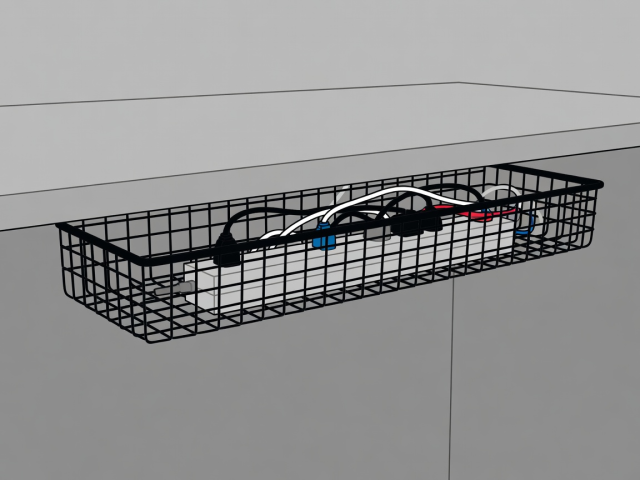
A mesh or sheet-steel tray fixed beneath the desk can hold the strip and the bricks. When choosing one, work through this list:
- Length. The tray should be a few centimetres longer than your strip so plugs do not foul the end.
- Mounting. Screws into the underside are strongest. In a rental, use a clamp-on tray or adhesive hooks, and read the adhesive's rated load carefully.
- Airflow. Pick open sides. Never bury bricks under fabric or paper, because they run warm.
- Access. You should be able to reach the switch and pull a plug without crawling underneath.
Edge clips and channels
Self-adhesive cable clips along the rear edge keep each cable in a lane. Spiral wraps and hook-and-loop straps (the Velcro One-Wrap type) bundle runs together. Choose hook-and-loop over nylon cable ties, because you will add a cable within a month and cutting ties gets old fast.
A flat plastic raceway stuck down a desk leg or wall hides the vertical run to the socket. Leave a service loop of 10 to 15 cm at each device so you can move things without unplugging.
Chargers: fewer, smarter
One multi-port USB-C charger that supports USB Power Delivery can replace three single bricks. Add up the wattage you need, then check the charger's total output with all ports in use, not just the headline figure. Use short cables for fixed devices (0.5 to 1 m) and keep a single longer one for the phone. A small weighted cable holder on the desk edge stops the end falling behind the desk.
A five-minute tidy
- Unplug everything and label each plug end with a strip of tape.
- Fit the tray and drop the power strip and bricks into it.
- Run each cable along the rear edge, clipping every 30 cm or so.
- Bundle spare length with hook-and-loop straps.
- Leave one charging cable loose on top for the phone.
Safety note
Respect the current rating printed on your power strip, never plug one strip into another, and do not cover strips or chargers. If a cable runs hot or a plug feels loose, replace it. This is general guidance, not an electrician's advice.